



- Home
- Latest poker news
- BCPoker Launches a Full-Fledged Desktop Client
BCPoker Launches a Full-Fledged Desktop Client
BCPoker continues to develop its gaming platform and has launched a full-fledged desktop client for Windows and macOS. The new app not only removes the need to play through a browser on a PC but also makes multi-tabling much more convenient. We explain what has changed since the client's release and how to install it.



How to download and install BCPoker
The relatively new poker room BCPoker now offers a complete lineup of native apps. In addition to browser play, users can now access the platform through dedicated desktop clients for both Windows and macOS. The poker room already has apps for two major mobile platforms: Android and iOS.
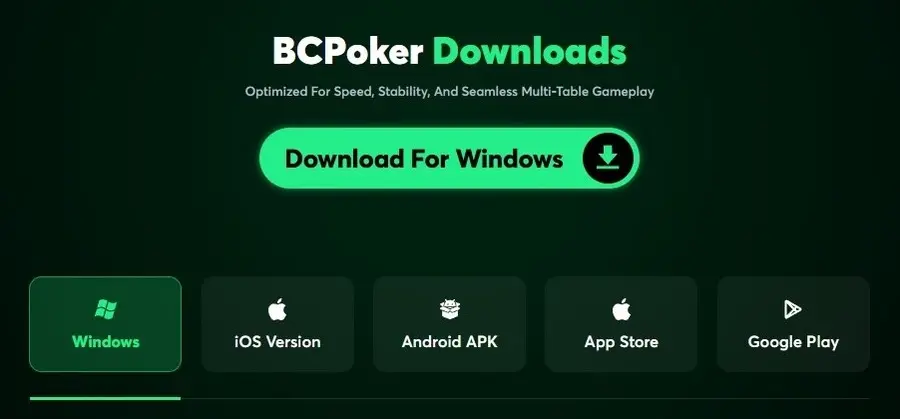
Downloading the BCPoker desktop client is quick and straightforward. After logging in to the poker room's website, simply click the "Download Desktop Client" button on the main banner. The appropriate installation file for your operating system will begin downloading automatically, although you can choose a different version on the following page if required.
The installation process is identical to that of most other poker room applications.
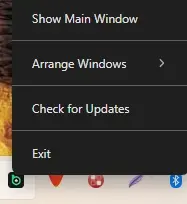
Important! If you closed the BCPoker client after ending your session, do not click the shortcut to relaunch it, as the application will not launch. Go to the system tray, find the poker room icon, right-click it, and select Show Main Window from the menu that appears.
Convenient multi-tabling

The desktop and browser versions of BCPoker have very few interface differences. After launching the desktop client, players are greeted by the same familiar home screen and navigation menu. The lobby layout and table design also remain unchanged.
The most significant improvement is the way multi-tabling is handled. Tables now open automatically in separate windows, allowing players to arrange them in a cascade or grid layout, or apply a previously saved layout.
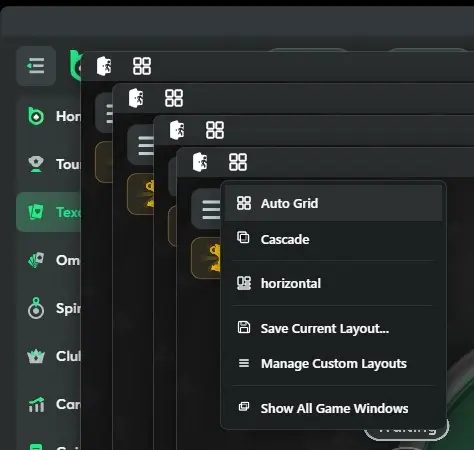
To access these options, simply click the square icon in the upper-left corner of any table and select the desired arrangement.
The table controls have also been slightly redesigned. The button for returning to the lobby has been moved to the sandwich menu, while the button for opening a new table has been removed entirely.
In the browser version, players had to position each table manually, making the new feature especially useful for those who regularly play multiple tables simultaneously. Multi-tabling in BCPoker, however, is still limited to four tables.
Why is the desktop client more convenient than the browser version?
In addition to convenient multi-tabling, the BCPoker desktop client has other advantages over the web version.
The app utilizes your computer's resources directly, avoiding the performance limitations associated with running in a web browser, meaning tables open faster, the interface runs smoother, and the likelihood of freezing or accidentally refreshing the page during a hand is significantly lower. This difference is especially noticeable during long multi-table gaming sessions.
The standalone client is optimized specifically for poker, allowing it to handle multi-tabling more efficiently and deliver more stable performance even on mid-range computers.
We believe the launch of dedicated BCPoker desktop clients for Windows and macOS will have a positive impact on the poker room’s traffic.


CoinPoker announced the launch of the PokerGO Tour Online, a year-long tournament project with a ...
Indian online poker had its Black Friday on August 22, 2025, when the President signed the gaming...
ACR Poker has expanded its schedule of qualifying tournaments for the WSOP Paradise Mega satellit...
ACR Poker is introducing a new series of regular tournaments: Turbo Tuesday, consisting of 40 MTT...