


- Home
- Best Poker Rakeback Deals
- BCPoker App Download
| Bonus | 10% up to $200 |
| Rakeback | up to 50% |
| Room type | Licensed |
| License | Comoros |
| Payments | |
| Platforms |


| Reliability | 4.8 |
| Game selection | 4.0 |
| Bonuses and promotions | 4.8 |
| Casual players | 5.0 |
| Deposits and withdrawals | 4.9 |
| Convenience of the software | 4.2 |
BCPoker App Download
BCPoker is a new cryptocurrency poker site with a client for all operating systems: Windows, macOS, Android, and iOS. Mobile apps can be downloaded from Google Play and the App Store.
Below, we provide step-by-step instructions for downloading and installing BCPoker on each platform, along with key details on download sources, required permissions, and updates to help ensure a smooth, error-free setup.
How to download BCPoker on a Windows computer
You can install BCPoker on your Windows computer in a few simple steps:
- Clear your browser cookies and cache or use a different browser. Go to the official BCPoker website.

- Click the "Download Desktop Client" button. Download the BCPokerSetup.exe file and run it.
- Follow the installation instructions. If Windows displays a blue "Windows protected your PC" warning, click "More info" and then "Run anyway."
- Launch the client and click "Sign Up And Play" in the upper-right corner of the window.
- In the new window, enter your email address and click "Send Code." Enter the code sent to your email, create a password, and click "Sign Up."
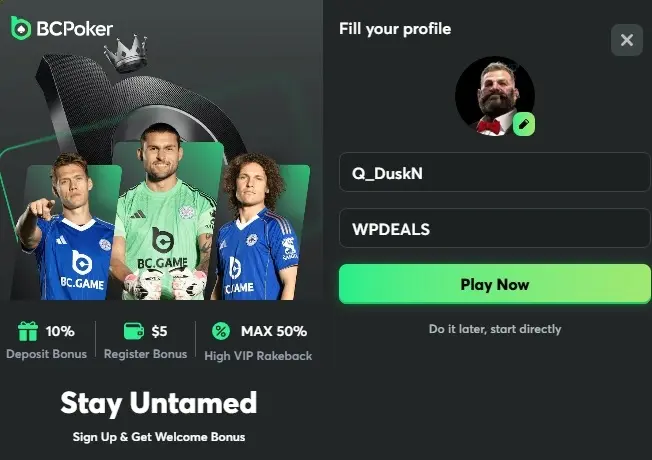
- Choose an avatar, create a nickname, and enter the bonus code WPDEALS in the last field. Click "Play Now."
How to download BCPoker App on Android
To start playing BCPoker from your Android smartphone or tablet, follow these steps:
- Open the official BCPoker website in your mobile browser.
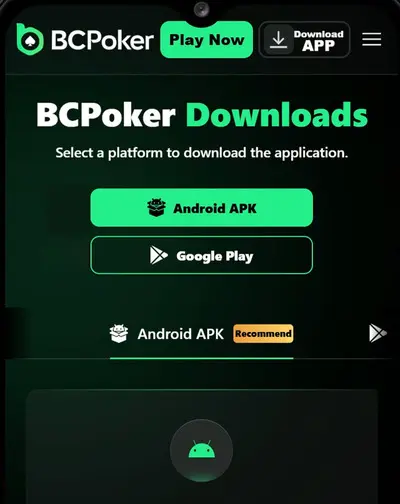
- Download the APK file.
- If necessary, allow the installation of apps from unknown sources in your device settings.
- Run the installation file and wait for the installation to complete.
- Open the app and log in to your account.
How to download BCPoker on macOS
BCPoker is available for Mac users as a standalone application. Below are step-by-step instructions for installing and launching it on macOS.
- Clear your browser cookies and cache or try opening the website in a different browser. Then follow the link.
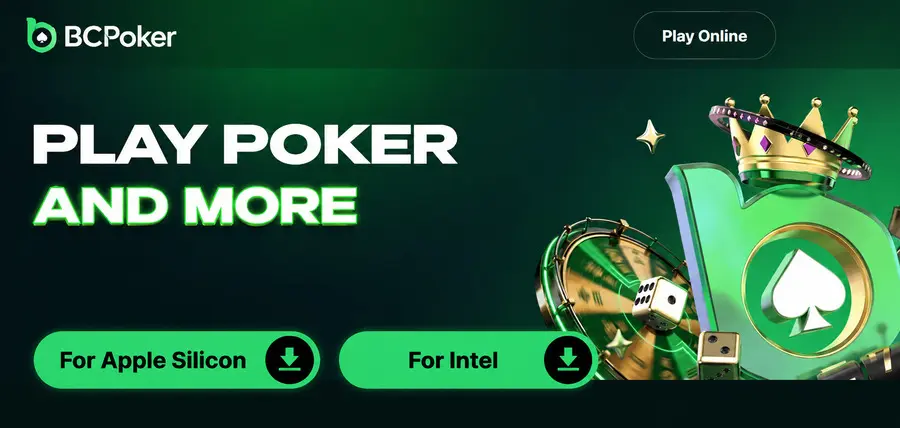
- Select your processor type. The .dmg file will begin downloading automatically.
- Once the download is complete, install the BCPoker app on your Mac.
- Launch the client and click "Sign Up And Play" in the upper-right corner of the window.
- Enter your email address and click "Send Code." Check your email, enter the code you received, and create a password. Then click "Sign Up."
- Choose an avatar, enter your desired nickname, and enter WPDEALS in the bonus code field. Click "Play Now" to complete the registration.
When you first launch BCPoker on macOS, you may see a security warning. To continue:
- Open BCPoker from the Applications folder and click Accept.
- Go to Apple → System Settings → Privacy & Security → Security and click Open Anyway.
- Click Open Anyway again and confirm with Touch ID or your login password.
In macOS 14 and earlier, you can also right-click the app and select Open without going to System Settings.
How to download BCPoker App on iOS
BCPoker installation on iPhone is performed via a dedicated iOS profile. For proper installation, we recommend using the Safari browser.
- Go to the BCPoker website on your iPhone and tap the "iOS Version" button.
- A system message will then appear informing you that the configuration profile is loading. In the window that appears, tap "Allow" to download the BCPoker profile to your device.
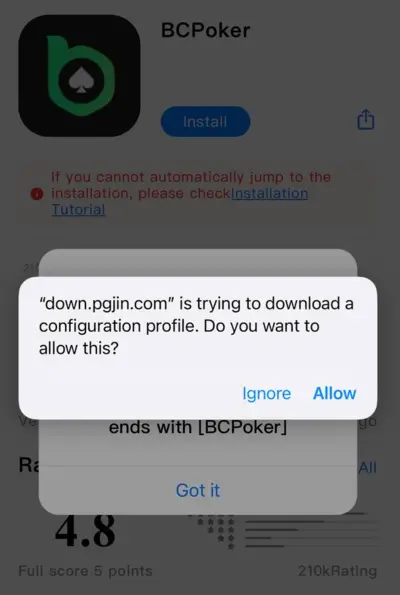
- Once the profile is downloaded, open your iPhone's Settings. At the top of the Settings menu, you'll see "Profile Downloaded." Tap it to open the downloaded BCPoker profile.
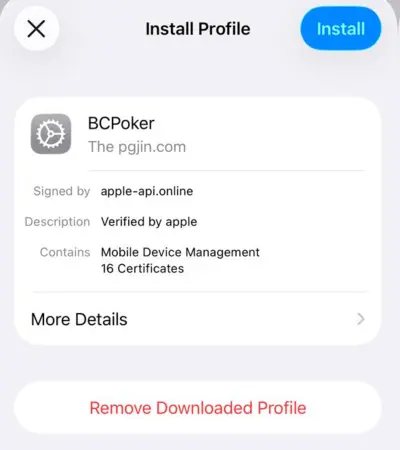
- On the BCPoker profile installation screen, tap the Install button in the upper-right corner.
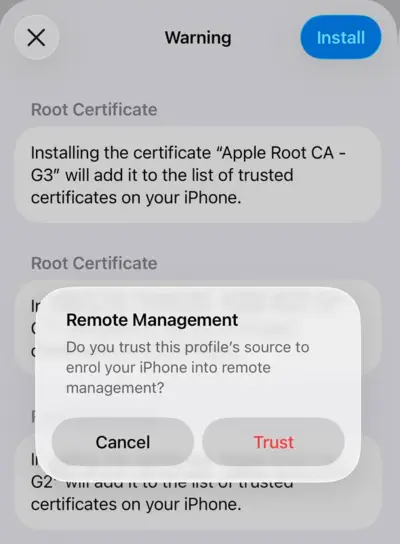
- During installation, iOS will display a Remote Management warning about connecting the device to remote management. Tap Trust to confirm profile installation and continue.
- After successfully installing the profile, an "App Installation" window will appear. Tap "Install" to begin installing the BCPoker client on your device.
- Wait for the installation to complete. Once finished, the BCPoker app will appear on your iPhone’s home screen and will be ready to launch.