



- Home
- Latest poker news
- How PokerIntel Works at CoinPoker
How PokerIntel Works at CoinPoker
CoinPoker offers a distinctive app that stands out not only for its interface but also for the range of built-in features. One of these is PokerIntel — an analytics tool designed to give you a deeper view of your performance. It gathers your statistics, highlights key metrics, and helps you identify both your strengths and the areas where there’s room to improve.
What is PokerIntel



PokerIntel is a tool for improving your gameplay at CoinPoker. It gathers key data on your hands and opponents, allowing you to identify weaknesses and make smarter decisions at the tables.
PokerIntel works for both cash games and tournaments, updating information approximately every 30 minutes.
What data is collected:
- Win rate;
- Number of hands played;
- Time spent at the tables;
- Opponent data;
- Session details and results against different opponents.
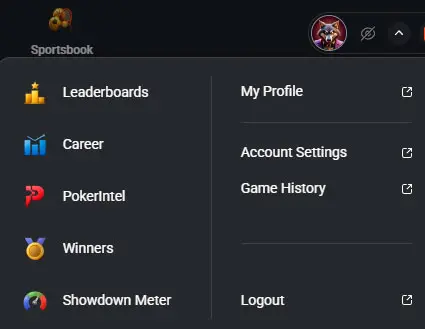
You can access the PokerIntel section either via the built-in HUD panel or through the drop-down menu next to your avatar in the main CoinPoker application window.
How to use PokerIntel
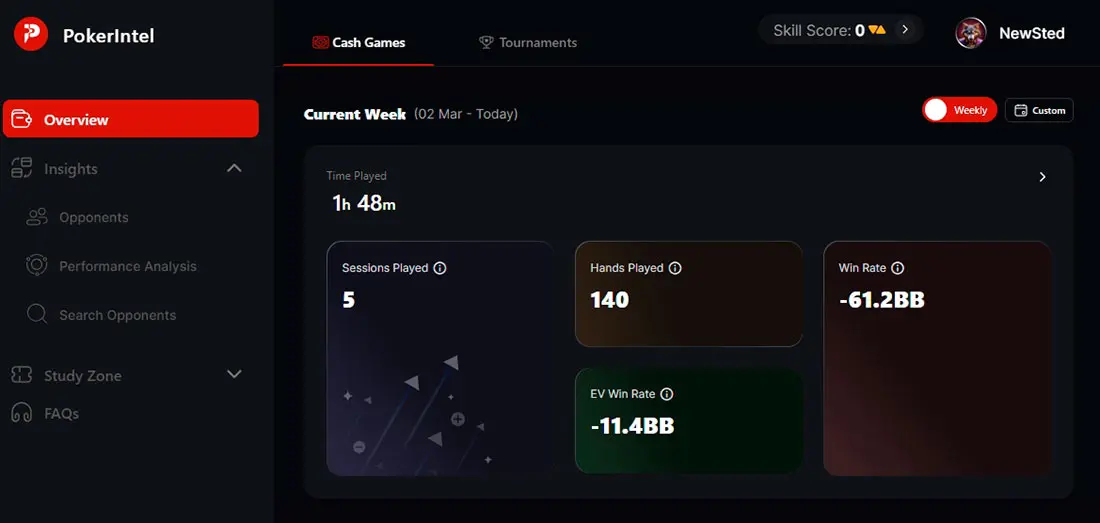
The main PokerIntel — Overview window displays cash game and MTT results for the selected period. By default, data for the last week is shown.
For cash games, the following is displayed:
- Number of sessions;
- Number of hands played;
- Win Rate;
- EV Win Rate.
Insights
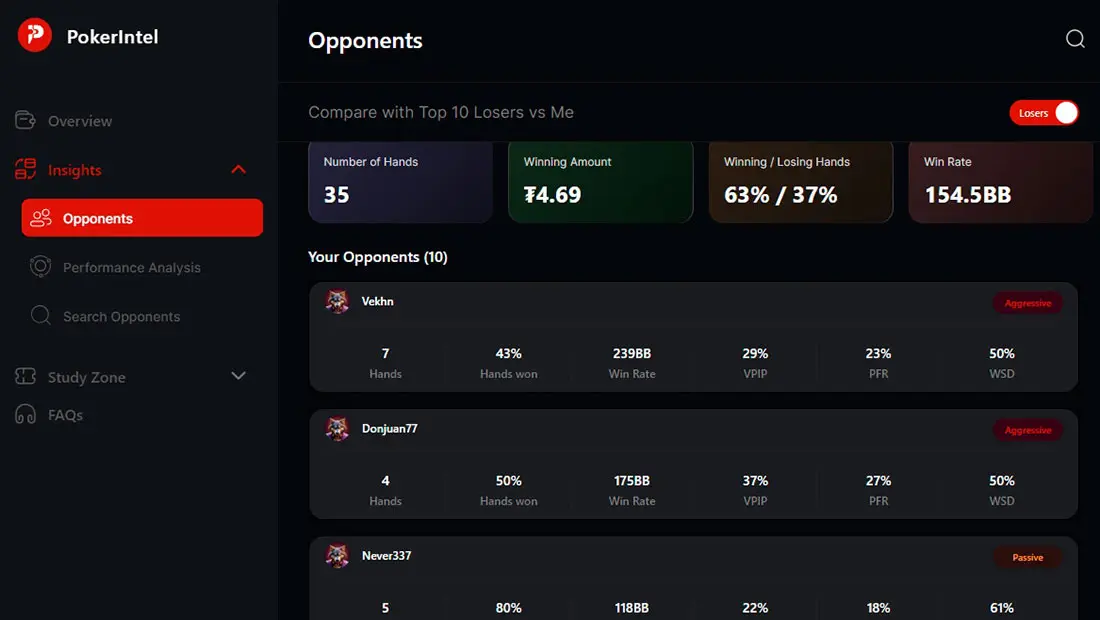
The Insights section provides information about your competitors:
- Opponents — a list of the 10 players who have lost to you the most and won the most against you;
- Search Opponents — search among your opponents and the top 5 players with the highest Skill Score.
The Performance Analysis section features two interactive graphs:
- No of Opponents — shows the win percentage, number of winning sessions, and total winnings for different numbers of opponents across all sessions;
- Time of Day — shows the win percentage, number of winning sessions, and hands depending on the time of day.
Study Zone
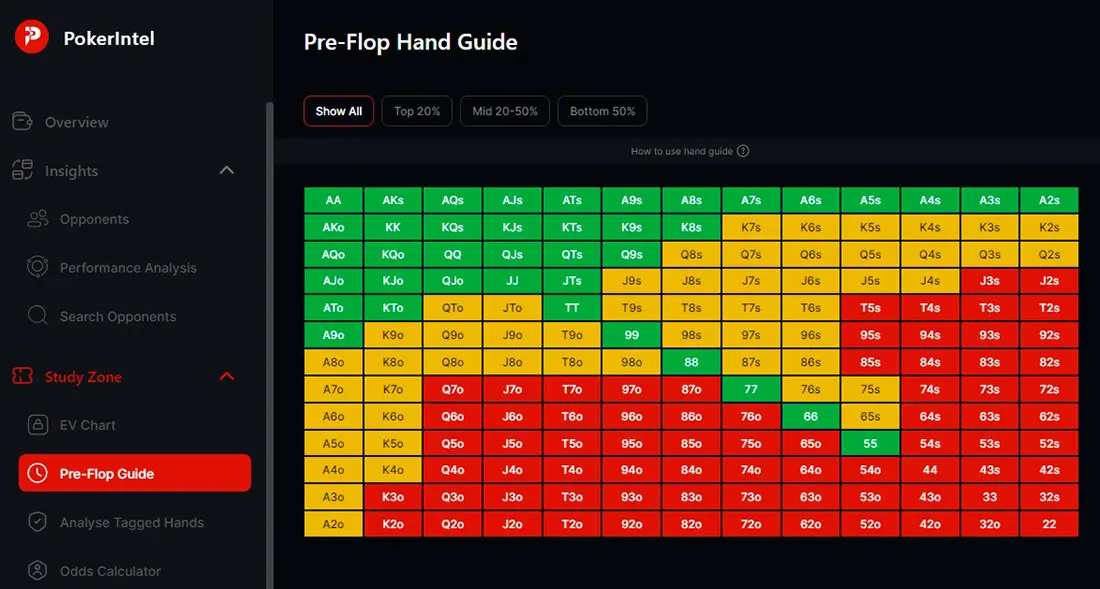
Study Zone has four built-in tools:
- Odds Calculator — quickly calculates the odds of winning a specific hand and analyzes the probability of different outcomes;
- Analyze Tagged Hands — lets you review and break down the hands you’ve marked in the replayer;
- Pre-Flop Guide — a 13×13 grid covering all Texas Hold’em starting hands. By clicking on any specific hand, you can view your personal statistics and compare them with the performance of top players on CoinPoker. Built-in filters for the top 20%, middle 20–50%, and bottom 50% of hands make it easier to refine and structure your pre-flop strategy.
- EV Chat (in development) - collects EV data for individual periods, sessions, and hands.
CoinPoker PokerIntel is a genuinely valuable tool for players who want to take their game to the next level. It compiles essential statistics from your sessions and opponents, helping you uncover weaknesses and improve your strategy. In simple terms, it works like a personal analyst, highlighting where you’re performing well and where there’s room to grow.


CoinPoker continues to hit new milestones. The poker room has announced "The One" $5,000,000 GTD,...
CoinPoker launched an exclusive K-Poker cash game format that offers a fresh take on traditional ...
CoinPoker has received significant advertising space on one of the major poker shows. In August 2...
CoinPoker is a crypto online poker room you can reach from most of the world, but "most" now come...