


- Home
- Best Poker Rakeback Deals
- WPT Global Download
| Bonus | 100% up to $3,000 |
| Rakeback | VIP |
| Room type | Licensed |
| License | Costa Rica |
| Payments | |
| Platforms |


| Reliability | 5.0 |
| Game selection | 4.7 |
| Bonuses and promotions | 4.6 |
| Casual players | 5.0 |
| Deposits and withdrawals | 4.8 |
| Convenience of the software | 4.2 |
WPT Global Download
WPT Global is an online poker room that runs on its own proprietary software, available on both desktop and mobile devices. Official apps are offered for Windows and macOS, as well as for Android and iOS, so you can play from a computer or smartphone.
The interface and core functionality are consistent across all platforms: the desktop client provides full poker features, while the mobile app offers an optimized, user-friendly layout with tailored controls. This unified design makes switching between devices seamless and eliminates the need to adapt to different versions.
Below, check out the step-by-step guides for registration, downloading and installing WPT Global on each platform, along with important details (download source, permissions, and updates) to ensure a smooth and trouble-free setup.
How to download WPT Global on Windows PС?
Check out below a straightforward, step-by-step guide to installing WPT Global on a Windows PC and creating your poker room account:
- Clear your cookies or use a new web browser.
- Follow the link to the official WPT Global website.
- Click "Register at WPT Global."
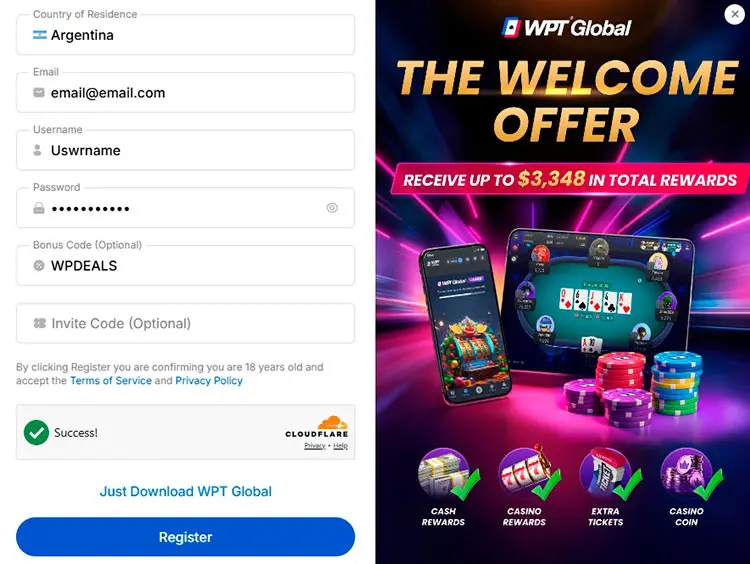
- Select your country from the list, enter your email address, username, and password. In the "Bonus Code" field, enter WPDEALS. Complete the registration.
- Enter the 4-digit code sent to your email.
- Click "Just Download WPT Global." The .exe file will automatically download. Install the poker room application.
- When you log in for the first time, you’ll be asked to enter your personal details.
To verify your connection to our website, please provide your login in the poker room.
How to download WPT Global App for Android?
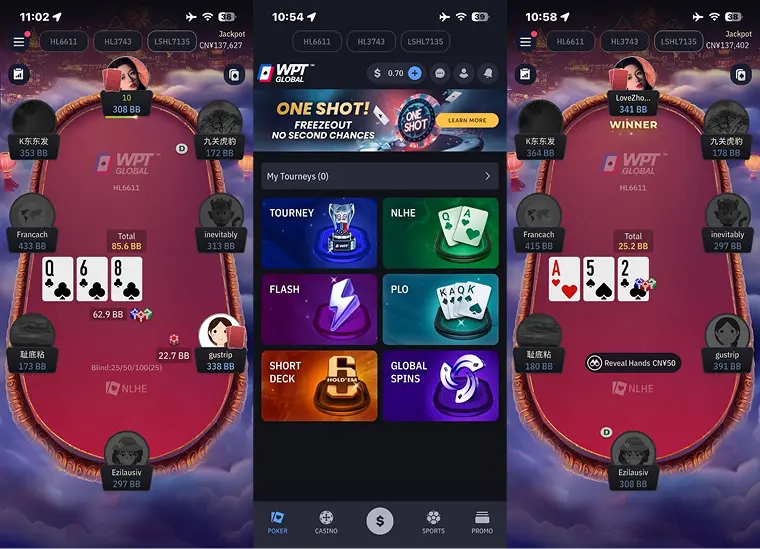
Check out how to install WPT Global on your Android smartphone in just a few minutes:
- Follow the link to the official WPT Global website.
- Click "Register at WPT Global".
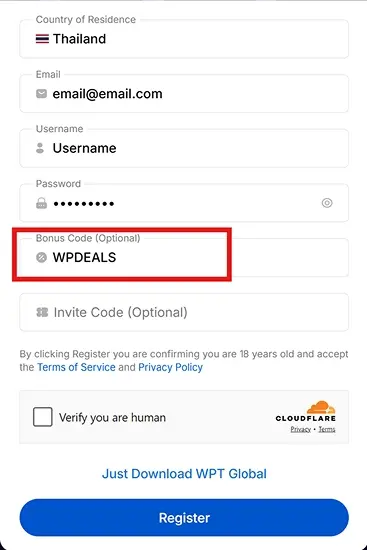
- Select your country from the list, enter your email address, username, and password.
- In the "Bonus Code" field, enter "WPDEALS." Complete your registration.
- Enter the 4-digit code sent to your email.
- Click "Just Download WPT Global." The .apk file will automatically start downloading.
- Install the poker room application the same way you would do with any other app on your smartphone.
How to download WPT Global for iOS?
To install WPT Global on your iPhone or iPad using the standard iOS and App Store process, follow these steps:
- Open the official WPT Global website on your iPhone or iPad.
- Click the "Register at WPT Global" button. After confirmation, click "Just Download WPT Global."
- On iOS, the file is not downloaded directly. Instead, the system automatically redirects you to the App Store or opens the app’s installation page.
- In the App Store, tap "Get", then confirm the installation with Face ID, Touch ID, or your Apple ID password. Wait for the app to download and install.
- Open the WPT Global app from your home screen and sign in using your username and password. On your first login, the app may ask you to provide your personal details.
Reach out to us to solve any questions you may have about the registration process: